
Watch the video below to see how to set up cascading values between two fields.
Key rules to remember
- Always set the linking on the child field (the field that changes).
- The linking setup is located as below.
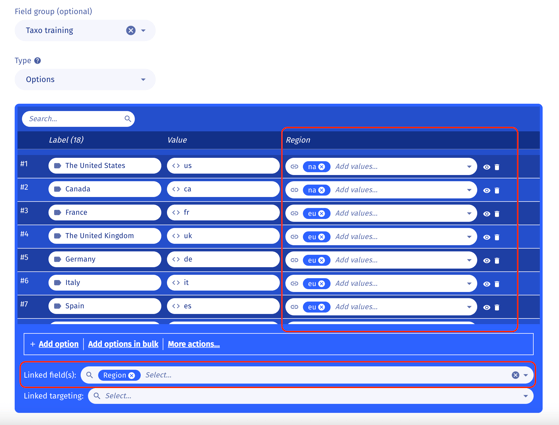
Example
You want Markets to change based on Region.
-
Region = parent field (controls)
-
Market = child field (depends)
How to set it up
-
Open the child field (e.g. Market).
-
In the blue bar, select Linked fields.
-
For each Market value, choose the Region value(s) it should be linked to.