
For each guideline, you can set up an alert system at the bottom of the guideline page. It can be sent via email, Teams or Slack, you choose.
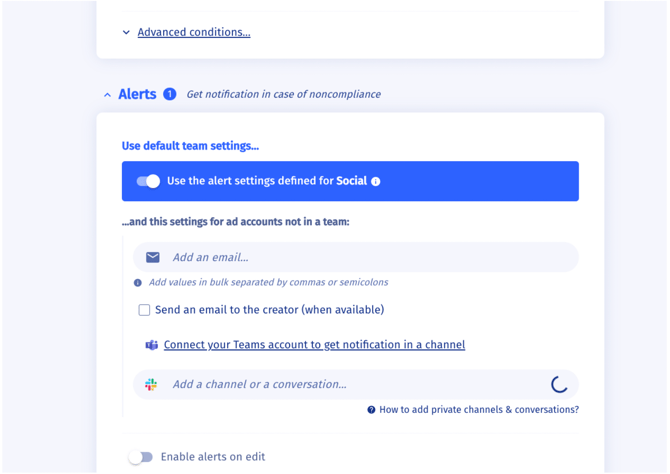
When a campaign is published with a non-compliant setup, the alert is sent. The timing and frequency of these notifications depend on each platform's technical limits:
- Meta 4h
- Tiktok 8h
- Google Ads 6h
- CM360 8h
- DV360 24h
- Amazon (Ads/DSP) 8h
- Snapchat 24h
- Traackr data appears few seconds/minutes after publishing. Data will be updated after each publish (editing a campaign name counts as publishing).
You can view the list of guidelines here, where the "bell" icon indicates whether alerts can be activated or not.
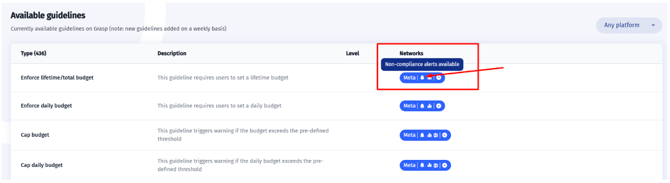
Note 1: Alerts during editing are only triggered if the "Enable on Edit" checkbox is selected. Additionally, alerts will only apply to entities created after the guideline has been implemented.
Note 2: If the entity is deleted/archived before Grasp retrieves it through the API, no alerts will be triggered, and the data will not appear in the Governance Dashboard.